Pick the wrong audiobook file format and the best narration in the world still gets rejected, bloated, or locked out of a store. The good news: for most authors the answer is simple. Record and edit in WAV, then export a single 192 kbps constant-bitrate MP3 for submission. Here’s why, and what every other format (M4B, AAX, FLAC, AIFF and more) is actually for.
What “audiobook format” actually means
People use “format” for four different things, which is why advice online gets confusing:
- Codec: how the sound is compressed (MP3, AAC, FLAC, or none at all for WAV).
- Container: the file wrapper that holds the audio and metadata (MP4, WAV, OGG).
- Bitrate type: constant (CBR) or variable (VBR) data rate. ACX requires CBR.
- DRM and store formats: proprietary wrappers such as Audible’s AAX, applied by the retailer, not by you.
Once you separate these, the “which is best” question gets much easier: the best format depends on the stage you’re at: recording, editing, submitting, distributing, or listening.
Lossy formats: MP3, AAC, M4A, M4B, OGG and WMA
Lossy formats shrink files by discarding audio detail listeners are unlikely to notice. That’s why they’re used for delivery.
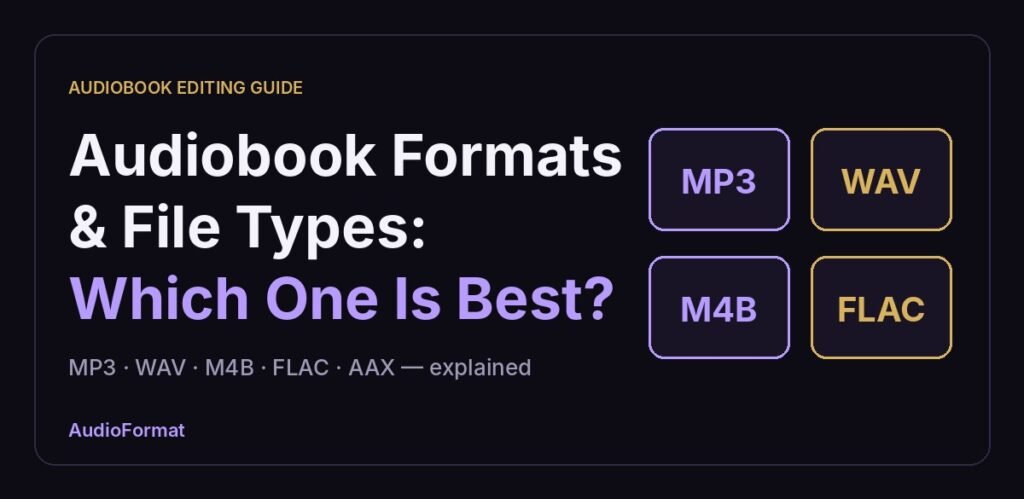
- MP3: the universal standard and the only format ACX accepts for submission. Plays everywhere. At 192 kbps, one hour is roughly 86 MB.
- AAC / M4A: generally more efficient than MP3 at the same bitrate. Common on Apple devices.
- M4B: the same AAC audio in an MP4 container, flagged as an audiobook so players can offer chapters and remember your place. This is the “audiobook-native” format many apps use.
- OGG (Vorbis/Opus): open and efficient, but poorly supported by audiobook retailers.
- WMA: legacy Windows format. Avoid it for anything new.
Lossless and uncompressed formats: WAV, AIFF, FLAC and ALAC
- WAV: uncompressed and the industry standard for recording and editing. Every editor and distributor understands it. It’s large: 44.1 kHz / 16-bit mono is about 300 MB per hour, and stereo roughly doubles that.
- AIFF: Apple’s uncompressed equivalent. Same quality and size as WAV, with less universal support.
- FLAC: lossless compression, typically about half the size of WAV with identical audio once decoded. Great for archives, but not accepted by ACX.
- ALAC: Apple’s lossless codec. Useful inside the Apple ecosystem, rarely needed for audiobooks.
The key rule: you can always go from lossless down to lossy, never back. Converting an MP3 to WAV doesn’t restore anything. It just makes a bigger file with the same limitations.
AA, AAX and AAXC: Audible’s own formats
Audible delivers books to listeners in proprietary, DRM-protected formats (AA, AAX and the newer AAXC). You never create or submit these. When you upload MP3 files through ACX, Audible converts them into its own formats after approval. If someone tells you to “export your audiobook as AAX,” they’re mixing up what listeners download with what producers deliver.
So which audiobook format is best?
It depends on what you’re doing with the file:
- Recording and editing: WAV (44.1 kHz, 16- or 24-bit). Never record straight to MP3.
- Submitting to ACX/Audible: MP3, 192 kbps CBR, 44.1 kHz.
- Long-term archive: keep the WAV masters, or FLAC if storage matters.
- Wide distribution: follow each platform’s current spec; WAV masters make it easy to meet any of them.
- Listener-side chapters and bookmarks: M4B.
The format workflow that avoids rework
Think of formats as a one-way pipeline. Keep everything lossless until the very last step, then export once.
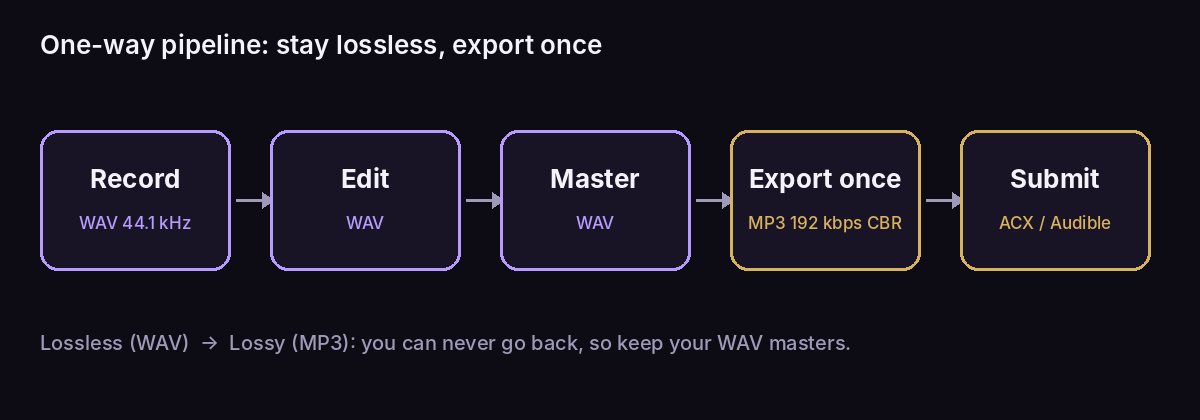
Exporting to MP3 more than once (editing an MP3, re-exporting, editing again) stacks compression artifacts each time. One lossless master, one final MP3 export per chapter.
ACX’s MP3 requirements in detail
ACX publishes its audio rules in its audio submission requirements. The ones that trip people up:
- MP3 at 192 kbps constant bitrate (CBR), 44.1 kHz. VBR is not accepted.
- One channel type throughout the whole book. Don’t mix mono and stereo files.
- RMS between −23 dB and −18 dB, peaks no higher than −3 dB, and a noise floor no higher than −60 dB RMS.
- Each file under 120 minutes, typically one chapter per file.
- 0.5–1 second of room tone at the start and end of every file.
Getting a technical detail wrong is one of the most common reasons books bounce back; see our breakdown of why audiobooks get rejected by Audible.
Formats for wide distribution
If you publish beyond Audible, requirements vary by platform (Voices by INaudio, formerly Findaway Voices, Spotify for Authors, and others). They change over time, so always check the current spec before uploading. The safe habit is the same: keep clean WAV masters so you can export whatever a platform asks for without quality loss. For a side-by-side of the platforms themselves, read ACX vs Voices by INaudio vs Spotify.
Audiobook file formats compared
| Format | Type | Approx. size per hour | Best used for | Accepted by ACX? |
|---|---|---|---|---|
| WAV | Uncompressed | ~300 MB (mono, 44.1 kHz/16-bit) | Recording, editing, masters | No |
| AIFF | Uncompressed | ~300 MB (mono) | Apple-based editing | No |
| FLAC | Lossless compressed | ~150 MB (varies) | Archiving masters | No |
| MP3 (192 kbps CBR) | Lossy | ~86 MB | ACX submission, universal playback | Yes |
| M4A / AAC | Lossy | Varies with bitrate | Apple devices | No |
| M4B | Lossy (AAC + chapters) | Varies with bitrate | Listener apps with chapters/bookmarks | No |
| AAX / AAXC | DRM-protected | Set by Audible | Audible’s delivery to listeners | No (generated by Audible) |
Common audiobook format mistakes
- Recording straight to MP3. You lock in compression before editing even starts.
- “Upgrading” an MP3 to WAV. It can’t restore lost detail; it just wastes space.
- Exporting VBR. Many encoders default to it. ACX wants CBR.
- Wrong sample rate. 48 kHz from a video-oriented setup forces a conversion; record at 44.1 kHz.
- Mixing mono and stereo files within one book.
- Oversized chapters. Keep each file under 120 minutes.
- Submitting AAX or M4B. Neither is an ACX submission format.
The bottom line
There’s no single “best” audiobook format. There’s a best format for each stage. Work in WAV, deliver MP3 (192 kbps CBR, 44.1 kHz) to ACX, keep your masters, and let the retailer handle AAX. If you’d rather not wrestle with encoders and loudness meters, that’s exactly what professional audiobook editing takes off your plate.
Frequently asked questions
Do I need to submit my audiobook as AAX to Audible?
No. Submit MP3 files through ACX. Audible converts them to its own AAX/AAXC formats.
Is FLAC better than MP3 for audiobooks?
FLAC preserves full fidelity, but ACX and most distributors don’t accept it. Use it for archiving, not submission.
Can I record directly into MP3 to save time?
It’s not recommended. Record and edit in WAV, then export MP3 once at the end.
What’s the difference between M4A and M4B?
Same AAC audio in an MP4 container; M4B is flagged as an audiobook so players offer chapters and bookmarking.